__PRESENT__PRESENT
__PRESENT__PRESENT__PRESENT
__PRESENT
__PRESENT
__PRESENT
__PRESENT
__PRESENT__PRESENT__PRESENT__PRESENT__PRESENT
Ready to find your investing edge?
Award-winning insights, recognised by investors.
We’re proud to be recognised as WeMoney’s Best for Market Research Insights winner again in 2026, making it back-to-back wins.

You'll get a better deal on your smaller trades while you're still rewarded for frequent trading.

An active trader offering with personalised support and exclusive access.
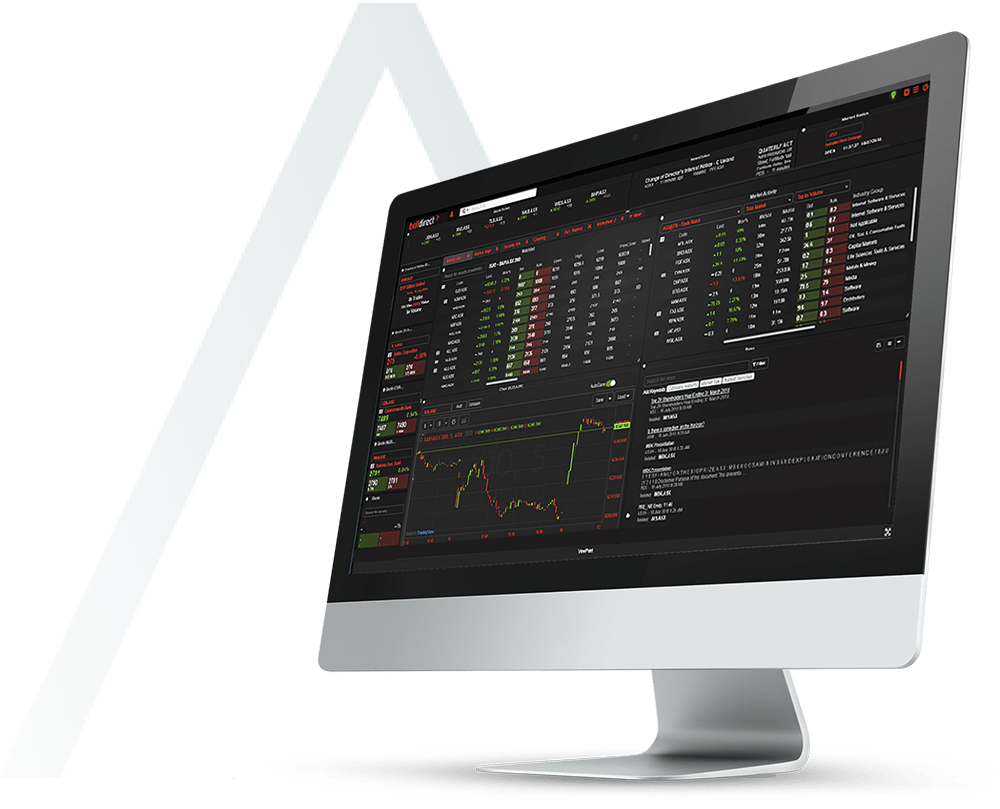
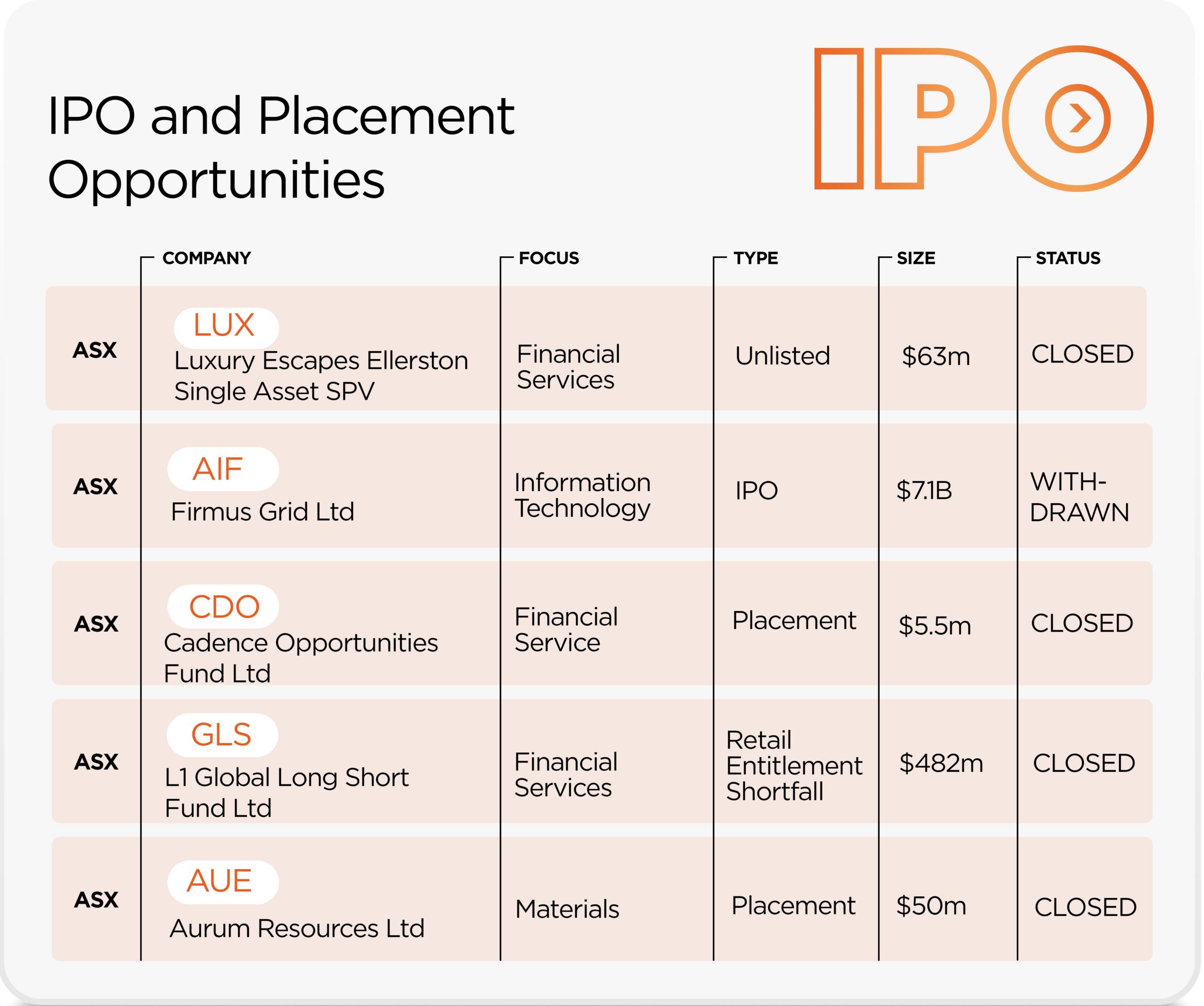
Gain access to Initial Public Offerings (IPO’s) and capital raisings for Sophisticated Investors when you have a Bell Direct account.
We are a part of Bell Financial Group (ASX:BFG) a leader in the Australian stockbroking industry since 1970.

Award-winning insights, recognised by investors.
We’re proud to be recognised as WeMoney’s Best for Market Research Insights winner again in 2026, making it back-to-back wins.
You'll get a better deal on your smaller trades while you're still rewarded for frequent trading.
An active trader offering with personalised support and exclusive access.
Gain access to Initial Public Offerings (IPO’s) and capital raisings for Sophisticated Investors when you have a Bell Direct account.
We are a part of Bell Financial Group (ASX:BFG) a leader in the Australian stockbroking industry since 1970.
Ready to find your investing edge?
Prefer to test the water first?
Ready to take things to the next level?
CONFIDENCE
Build trade-winning confidence with our exclusive insights

Bell Potter research library
Game-changing insights into 150+ ASX-listed stocks, only available to investors trading with Bell Direct.

Daily trading ideas
Wake up to six fresh trading ideas in your inbox early each morning, based on charting analysis from global research specialists Trading Central.

Changes in substantial
holdings indicator
Stalk the big players to see what they’re up to via real-time data on major shareholder moves in any stock.
SMARTER TOOLS FOR CONTROL
Smart tools to put you in
complete control

Strategy builder
Blends fundamental, technical and earnings momentum analysis so you can find the stocks that tick all your boxes.

Advanced charting
You can quickly make sense of complex pricing data and technical indicators and make informed decisions with this interactive technology.

ETF and mFund filters
Screen the market for ETFs and mFunds and compare them instantly across multiple criteria to see if they suit your strategy. Available to Bell Direct clients only.
TIME-SAVING
Invest easier with our
time-saving technology

Mobile trading
Get a ton of research data on your phone and invest anywhere with our mobile app.

Technical insights
Use the power of technical analysis to get actionable stock intel even if you’re not a charting whizz or short-term trader.

Painless tax reporting
Put an end to end-of-year hassle with the tax report voted #1 by experienced investors in Investment Trends’ Online Investing survey 2023. Only available to Bell Direct clients.

We are a part of Bell Financial Group (ASX:BFG) a leader in the Australian stockbroking industry since 1970
When you join Bell Direct you get access to daily market news and real broker research.
Weekly Wrap
Will Riggall, CIO – Bell Financial Group
Daily Reporting Season Coverage
Insights from Bell Potter’s Research Team

Bell Potter Research Report
Coles Group Ltd (ASX:COL)

Imagine the difference if someone invested in you?
Our mission is to help Australians be better off.
Whether you’re new to investing or a markets veteran, our tools can give you the edge.

Already a seasoned investor?
We’ve got the innovative tools and serious support you need to reach your full trading potential, such as advanced charting, excusive Bell Potter research, integrating IRESS viewpoint and direct access to margin lending.
Running an SMSF?
You want low costs and high levels of control with an SMSF. As well as value-for-money trading and the latest research tools and insights, our administration service backs you up with the paperwork.


Already a frequent trader?
The more you trade, the more you save. We reward frequent traders with better rates and services.
Using Bell Direct has been a great experience and I’d recommend them highly. Their online platform has everything you need, their trading is competitively priced, and if you want to speak to someone it is easy to get in contact.
Trina – Melbourne, VIC

Bell Direct always answer your their phones within a couple of minutes, no matter what time you call. Always pleasant and informative if you ask them questions. Excellent company to deal with.
Ben
Prior to Bell Direct, I tried 4 other broker services. All the others were more expensive & sometimes much more complicated. Bell Direct is the best I have used with a very fast & easy to use platform, terrific support service & more than ample information about stocks on the site. I wouldn’t consider using anyone else.
Howard – South East Queensland, QLD
It provides me a fast, accurate market information, index and graphics, Furthermore they provide some free seminary and conferences, so that I can get more investment acknowledges and skills for my investment. It makes me rich my fortunate and wealth at my investment.
Desmond – Sydney, NSW
I recently needed to transfer money out of Bell Direct account to my nominated account after selling some shares. Once the shares were cleared (which took only 2 days) the funds were in my bank account.
Julie
Bell Direct is a true online broker. Set-up and trading can all be done online. This is the best value stockbroking available taking into account reputation, quality and price at $15 per trade.
We use this as a preferred provider when setting up SMSF’s. If you consider setting up a SMSF, this is a great low cost option
Hein
Bell Direct trading platform has been a consistently performing online broking investment service for us. We consider ourselves old fashioned, yet we have been able to access and use the features of their platform without difficulty. Bell Direct’s conditional trading achieves a better instantaneous price whether buying or selling. Their brokerage fees are affordable for small trades. We are maintaining our account with Bell Direct, and will use their service again soon.
Ray – Darling Downs, QLD
Check out some commonly asked questions
You can generally start trading within:
– 3 working days if you have applied for a new holder identification number (HIN) for your trading account.
– 4 working days if you have requested for a HIN transfer across from your previous broker to your trading account.
We will contact you should we require any further information on your application.
Once the trading account has been activated, you can deposit funds into your Direct Investment Account. See how do this in the FAQ question below.
– Your ID details so we can verify your identity online (i.e. Australian passport or driver’s licence)
– Your bank account details (from an Australian bank)
– Tax File Number (optional)
– Company or trust documents if you are opening an SMSF, company or trust account
– Your HIN if you’re switching from another broker
Watch the video here.
Or follow the steps:
Deposit funds into your Direct Investment Account electronically by either:
To find your deposit details:
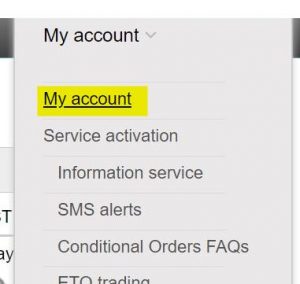
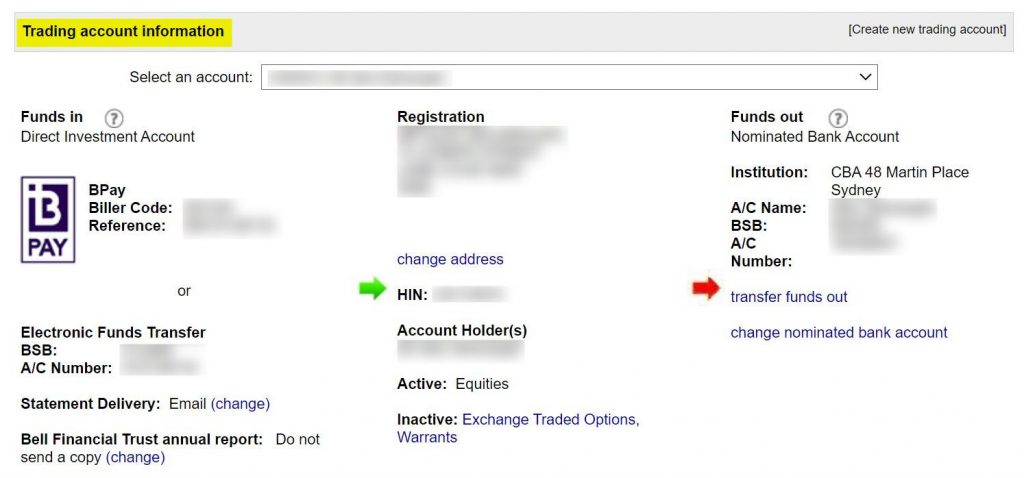
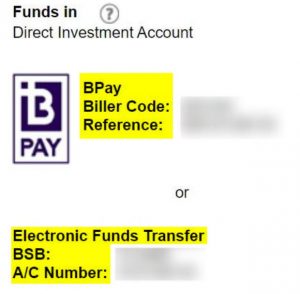
The timing of your funds deposit reaching your Direct Investment Account depend on your bank’s processing time.
If your deposit instruction was completed before your bank’s cut-off time, your funds will usually be in your Direct Investment Account the next business day. If your deposit instruction was completed after your bank’s cut-off time, your funds will normally be in your Direct Investment Account the following business day
To withdraw funds simply:
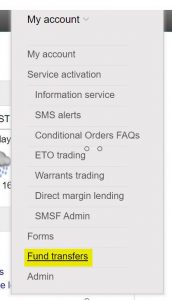
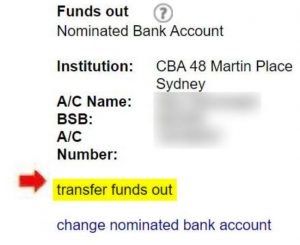
Your available transfer balance takes into account your cash balance and any buys pending settlement and open buy orders you have at the time of processing your transfer request. If you have sell orders that are due for settlement, you will only be able to transfer the funds out after the sell orders settle (T+2, between 12pm to 5pm AEST).
When you submit your transfer request before 2:30pm AEDT on business days, your funds transfer is processed on the same day and the funds should be in your nominated bank account the next working day.
After 2:30pm AEDT on a business day or on a non-business day, your instruction will be processed at 2:30pm the next business day.
The cut-off on non-settlement days and shortened ASX trading days such as Christmas Eve and New Year’s Eve is 12.30pm AEDT.
To transfer shares to your Bell Direct account, follow these steps:
1. Determine where the shares are held: at another broker or at a share registry.
2. Complete the correct transfer request form:
For shares from another broker:
Remember, your details at the other broker must exactly match the details you have with us to allow the transfer. If shares are currently held in a different name, complete an Off Market Transfer Request form (found in Forms in the My Account tab once logged in) (at a cost of $55 per holding).
For shares from a share registry:
Remember, your details at the share registry must exactly match the details you have with us to allow the transfer. If shares are currently held in a different name, contact the share registry to change the details before submitting the Issuer Sponsored Conversion Request form.
You can find all the request forms on your My account tab once you have logged in.
Good news – if you’re in the process of opening a new online share trading account with us, you will have the option to transfer a HIN across during the online account setup process.
3. Send us your signed request form by:
Once we’ve received it, we’ll transfer the shares into your Bell Direct account within 3 days.
Watch the video for more:
As voted by investors with 10+ years’ experience in the 1H 2024 Investment Trends Online Investing Survey.